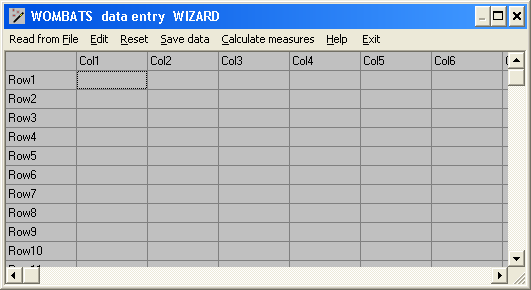
You may click on Read from File to load values in the appropriate order from a free format plain text file, which may have been exported directly from another program or created by cutting and pasting from a file in another format. Alternatively, use the left mouse key or click on Edit to paste data direct from the Windows clipboard.
To edit data prior to analysis, click on the relevant rows or columns and use the mouse, with the right mouse key depressed, to mark values to be copied or deleted. Then depress the left mouse key, or click on the Edit menu, and select Cut to delete the values selected. If you select one or more entire rows or columns, they will be removed from the display entirely. This enables you to calculate measures of association disregarding particular variables or observations.
Click on Reset to clear the spreadsheet in case of error.
Click on Save data to save the current spreadsheet in a file for later use.
Click on Calculate measures to specify and calculate matrices of the measures available from WOMBATS, using the data currently displayed.
Click on Exit to close the spreadsheet window and the input wizard.